Roblox Guide for Parents
.jpg)
Why Roblox Isn’t Just “Another Game” Parents Can Ignore
- You’ve probably noticed your child spending a lot of time on Roblox, and there’s a clear reason for that (it’s not just about “screen time” or lack of control)
- Understand what Roblox really is as a platform, including how user-created games, social play, and real-time interaction all work together to keep kids engaged
- Learn how chat, voice features, and open game environments can create both opportunities for creativity and potential risks like strangers, scams, or inappropriate content
- See why Roblox is so appealing to children and students, helping you better understand what is driving their interest and daily use
- Walk away with practical, easy-to-use steps and parental tools to help guide your child’s experience and create safer boundaries at home
When Gaming Takes Over: A Teens Honest Reflection
Win prizes! After watching this video, click here to share quick feedback.
Red Flags In Strangers: Kids Speak Out
Win prizes! After watching this video, click here to share quick feedback.
Why Parents Should Be Aware of Predators, Scams & Explicit Content
Win prizes! After watching this video, click here to share quick feedback.
The Value of Parental Controls in Managing Children’s Online Activity
Win prizes! After watching this video, click here to share quick feedback.
What Parents Need to Know About Roblox Before Their Child Logs In
- Roblox is not just a single game. It’s a platform consisting of countless user-generated games that children can easily join
- Roblox allows creators to build and design unique games through its design tool, Roblox Studio
- Children are given the opportunity to explore these games (experiences), playing alongside others in real time
- Most games include text chat, and a voice chat option is available for users aged 13 and above with verification
- There are almost 40 million children under the age of 13 playing Roblox daily (Source: Statista)
- Parents should approach Roblox as they would a crowded public space, by keeping tabs on who their children are chatting with and which games they are playing
- Roblox requires users to complete an age‑checking process to access any chat features. This places players into age groups so kids can only chat with those of similar ages, unless a parent explicitly allows otherwise
- Roblox includes an AI feature, called 4D creation, that allows users to type what they want their world to look like, and AI will create it for them
- Chat is moderated using AI, rewriting messages to keep them more age-appropriate
Why Roblox Can Expose Kids to Strangers, Scams, and Unsafe Content
- Contact with strangers: Open chat is available in most games and voice chat is accessible for verified users aged 13 and above, which can expose kids to predators, scams, or pressure to share personal information
- Grooming and sextortion risks: Law enforcement agencies caution that predators often initiate contact in games and chats, building trust before persuading kids to move to private messaging or even face-to-face meetings. The FBI and DOJ recommend parents to have early conversations, supervise online activities, and stay informed about whom their child communicates with (Source: Fox32, Chicago)
- Inappropriate content: Despite moderation efforts, some Roblox spaces include violence, sexual themes, or language not meant for children. Parents should review the games their child joins
- Wide age range and maturity levels: Content is labeled for maturity, including 17+ content requiring age verification. Labels are helpful, but children can easily bypass them. Always assume your child might stumble onto content they weren’t looking for
- Direct messaging and off-platform invites: Despite Roblox’s recent tightening of messaging rules for those under 13 and increased parental controls, teaching kids to reject off-platform chat invites remains crucial. Predators may use gifts, threats, or flattery to coerce kids online
- Cyberbullying is prevalent, especially the type that shames players for not spending money (Robux) on their avatar
- Since there isn't a definite end to Roblox, it may be difficult for some players to limit their game time, increasing the risk of developing screen time addiction
7 Simple Steps Parents Can Take to Improve Roblox Safety at Home
Before your child jumps into the world of Roblox, or if they’re already playing, consider these steps:
- Co-play with your child: Spend time with your child on the platform by joining sessions together
- Set up parental controls: Create a Roblox account with parent privileges and connect it to your child’s account to manage settings from your device
- Tighten chat controls: Limit or disable experience chat and party chat for children under 13. Keep chat settings to off or friends-only, and audit the friend list regularly
- Control content exposure: Use content and maturity settings, acknowledging they’re imperfect. Block specific experiences that don't align with your family values
- Disable voice for kids: Since spatial voice is available for verified teens, stay involved if your child uses it
- Set spending limits: Activate spending restrictions and educate your child on possible Robux scams
- Educate on reporting and blocking: Show your child how to report and block upsetting content and stress the importance of informing you about anything unsettling
Key Roblox safety features parents can use:
- Account restrictions (for under 13): Automatically limits chat and game access
- Chat filters: Blocks inappropriate words and phrases
- Parent PIN: Prevents kids from changing safety settings
- Spending controls: Lets parents approve or limit Robux purchases
- Activity monitoring: Parents can view recent games played, chat history, and purchase history
Parental Control Settings in Roblox Can Make a Big Difference
- Log into your child’s account and tap “More” or the gear icon
- Scroll down to “Settings” and tap “Parental Controls”
- Tap “Add Parent” and enter parent email address
- Open up parent email from Roblox and tap Link Accounts. Either log in or create an account
- Tap “Agree”
Parental control settings
- From either the parent or child account go to “Settings” and then “Parental Controls”
- Scroll down to "Screen time" and tap on "Manage"
- Set a screen time limit and view which games your child has been playing
- If you are using the parent account, select the child you are managing, scroll down to "Settings you manage"
- Go through the list and configure to your specifications. We recommend the most conservative settings for younger children
- Content restrictions-this adjusts the types of content maturity level your child can access
- Communication–adjust who kids can communicate with
- Spending restrictions—limit how much money your child can spend on Robux in the game
- Visibility & private servers—adjust who can see what games they are playing and join them in the game
- Trading & inventory—adjust who they are allowed to exchange items and Robux with
More Information for for Your Child’s Online Safety and Wellbeing
- Encourage your student to always talk with you, or another trusted adult, if a situation makes them uncomfortable
- Remind them to never move to another platform to continue chatting with someone they know only from Roblox
- Create a Family Media Agreement WITH your child to help set limits and boundaries for Roblox and other online games
Where is Roblox available?
- Roblox is available on PC, Mac, Xbox One, Amazon Fire, and iOS, Android for mobile devices
- Apple App Store Rating: 12+
- Google Play Rating: T (Teen)
- Terms of Use
- Privacy Policy
Roblox in the news
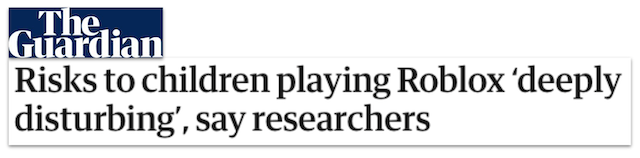
“Deeply disturbing” research exposes how easy it is for children to encounter inappropriate content and interact unsupervised with adults on the gaming platform Roblox. - The Guardian

Researchers identified 38 Roblox groups openly trading child sexual abuse material and soliciting sexual acts from minors. - ABC/FOX News, Montana

‘An RCMP officer says kids are first contacted there and directed to apps like Facebook, Instagram or Snapchat where predators then ask the child for nude photos or to perform sexual acts.’ - CTV News
Why Students Are So Eager to Get a Roblox Account
- Roblox offers a vast variety of games and epic adventures which means most students can find something they are interested in playing
- Some students enjoy the opportunity to create their own games and share them with others in the global community
- Students can interact with and play online games with their friends, and many kids love to discuss their favorite Roblox games even when they are not playing
Watch the Roblox Parent Night Replay Before Your Child Logs In
Conclusion
Roblox has become one of the most popular online spaces for kids, but many parents aren’t sure what it is and if it's safe. Roblox is not just a single game, it is a massive platform filled with millions of user-created games (experiences) where children can play, build, and interact with others in real time. With nearly 40 million kids under 13 logging in every day, Roblox feels less like a simple game and more like a crowded public playground, full of creativity and connection, but also potential risks.
Roblox offers a wide range of games and allows users to create their own. It has a large and active user base around the world, particularly among young players. However, there have been serious concerns about child predators, inappropriate content, and cyberbullying on the platform, highlighting the importance of parental involvement and setting appropriate privacy controls. Parents can actively engage with their children on Roblox, discuss safety concerns, and utilize parental controls to create a safer gaming experience.
Additional Resources
Negative Effects of Video Games
Tips From a 15-Year Old About Roblox, YouTube, Instagram, Spotify, & Screen Time
You're not logged in!
Log in or join to protect your family and enter for a chance to win cool prizes
Become a member or log in to learn more on this topic

This is great info, thanks for giving me some ideas on how to start a dialogue with my teen!

Sharon M.
Parent VIP Member
Josh's presentation about social media was unbelievably fantastic. Our students learned so much about what kids should and shouldn't be doing. The fact that it is such a thoughtful process made it all worthwhile.
Director of College Advising
Educator Webinar Attendee
This webinar is a very helpful eye-opener on the apps that are popular with my students.
Irene C.
Educator Webinar Attendee
You're not logged in!
Log in or join to protect your family and enter for a chance to win cool prizes

., start learning from this page to enter for a chance to win one of our 28+ prizes each week.
Hello, I'm Josh, the founder of SmartSocial.com.
Don't leave this page until you fill out our feedback form that will appear after you learn from the resources...