Finstagram & Spam Accounts: What Parents Should Know

Many students today have more than one Instagram account, and not all of them are meant for parents to see. These secondary or “fake” profiles, often called Finstas or spam accounts, are where teens share unfiltered posts, inside jokes, and sometimes riskier content with a small group of friends. While these accounts might seem harmless, they can also create spaces where students feel free to post things they wouldn’t on their main profile. Understanding why teens create Finstagrams, and what really happens on them, can help parents start more open, informed conversations about online behavior and privacy.
Why Teens Use Finsta & Spam Accounts (Parent Video)
How Students Hide Messages (Parent Video)
What is Finstagram?
- Finstagram (also called “Finsta” or "Spam") is a fake or secondary Instagram account (Source: Today)
- It’s meant for an intimate audience, usually a small group of friends
- Sometimes it's a private account with only specific people allowed to follow; in other cases it may be a public account but the name doesn't match the user and only specific friends know who is actually behind the account
Why do teens want a spam account or Finstagram?
- Sharing a different, uncurated and more authentic side of themselves (carefree, makeup-free, etc.) (Source: Yahoo.com)
- Sharing silly posts with friends
- Hiding mischievous behavior from parents, schools, and employers
- Some set up a spam account to bully others.
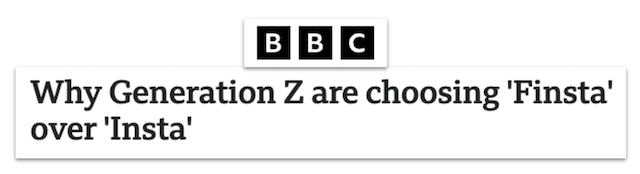
Public Instagrams are much more serious, it is the first impression of you that everyone will have… With your Finsta you don't have to care about that. It's private, if it's a bad photo of you or an inside joke, you're happy with who can see it. - BBC News
Why should parents care?
- The usernames might be easily recognizable to friends, but not to parents and teachers
- Teens can overestimate how private these accounts truly are, since anyone who sees a Finsta post can take a screenshot and share it
- Students may be using their Finsta to hide bad or illegal behavior, such as:
- Bullying
- Sexually explicit photos
- Underage drinking or drug use
- Communicating with strangers
What can parents do?
- Be aware that the Instagram app allows 5 accounts per login
- Ask your students if they (or their friends) have a second Instagram account
- Talk with your students about appropriate online behavior
- Tell students that “private” photos can still go viral
- Remind your students that their Finstagram friends can take screenshots of their pictures to share with others
Conclusion
Not every Finstagram is filled with inappropriate or harmful content. Teens often use these spaces to feel more relaxed or authentic online, but that same privacy can sometimes lead to risky behavior or poor judgment. The best way for parents to protect their students is by keeping an open dialogue about what they share, why they share it, and who they trust to see it.
Additional Resources for Parents
Instagram Guide: What Parents Need to Know
Combat Online Bullying: Supporting Positive Student Behaviors on Campus and At Home
You're not logged in!
Log in or join to protect your family and enter for a chance to win cool prizes
Become a member or log in to learn more on this topic

This is great info, thanks for giving me some ideas on how to start a dialogue with my teen!

Sharon M.
Parent VIP Member
Josh's presentation about social media was unbelievably fantastic. Our students learned so much about what kids should and shouldn't be doing. The fact that it is such a thoughtful process made it all worthwhile.
Director of College Advising
Educator Webinar Attendee
This webinar is a very helpful eye-opener on the apps that are popular with my students.
Irene C.
Educator Webinar Attendee
You're not logged in!
Log in or join to protect your family and enter for a chance to win cool prizes

., start learning from this page to enter for a chance to win one of our 28+ prizes each week.
Hello, I'm Josh, the founder of SmartSocial.com.
Don't leave this page until you fill out our feedback form that will appear after you learn from the resources...