Locket Widget: Parent App Guide
Why Parents Should Understand Locket Before Their Child Uses It
- Understand how Locket works. Real-time photos appear directly on a phone's home screen, so parents should know who can send content
- Know why Locket can still create pressure. Daily photo sharing and limited friend lists can lead to stress, exclusion, or pressure to keep up
- Recognize the safety concerns. Locket does not have a preview or decline option, so kids may see incoming photos right away
- Help your child keep their friend list safe. Students should only connect with people they know in real life
- Start conversations about photo boundaries. Use this guide to talk about what is okay to share and what to do if something uncomfortable appears
What Parents Need to Know About the Locket Widget

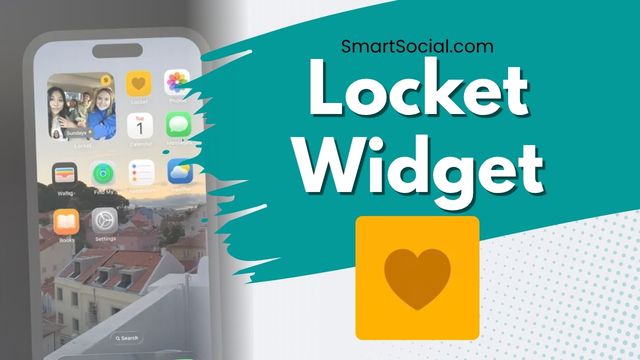
- Locket is a widget, not just an app, that acts like a live photo album on a user’s phone home screen and updates in real time
- Users can add a picture or short video daily to their Locket and it will update on their “friends’” phones immediately
- When a user sends a photo, they can add a comment, and the people who receive the photo can comment back, creating a message thread
- Users can add up to 20 friends to share their photos with
- The app saves a history of all photos exchanged, which can be turned into monthly recap videos
- Parents sometimes hear “it’s not social media.” While it's true that there is no public For You feed, it is still photo sharing with other people, plus captions, reactions, history, and (for some users) weekly Rollcall dumps
- "Rollcall" is a weekly “photo dump” style share (often Sunday). Friends can see a selection of highlights that are viewable for about seven days, not forever like a classic feed. T
Why Locket Can Feel Private but Still Create Safety Concerns
- There is no “decline” or “preview” option for incoming photos. If a Locket “friend” decides to send an inappropriate photo, the recipient sees it the moment they look at their phone
- Students can still connect with strangers if they share their Locket invite in public online spaces such as on TikTok or Reddit to find new people
- There is no content moderation since the app is built for private communication between close friends
- Much like the Snapchat Streak, there can be social pressures to keep up sending photos daily and since there are only 20 friends allowed, it can be a really big deal to a student if they get excluded from someone’s friend list
- Photos sent through Locket have permanence as there is no way to "unsend" a photo. Once a photo is sent, recipients may keep it in history/on the widget. Kids may send photos that they will regret posting later in life
- There is a paid version of Locket that gives users the ability to send longer videos, upload from your camera roll, have unlimited friends and other upgrades
Why Locket Feels Fun, Personal, and Easy for Teens to Use
- On Locket, there is less pressure to use filters or to look perfect with the photos shared because they are only being sent to their closest friends instead of on social media for public viewing
- Teens will often use their photos on Locket to share small “life updates” such as a cup of coffee, a messy desk or a funny face
- Sharing photos through Locket often feels like a private inside conversation between friends and gives a sense of connection throughout the day
- Teens find it very easy to use with less pressure or planning necessary
- Many teens describe it as a social option when parents have limited or banned mainstream social apps
How Parents Can Help Their Child Use Locket More Safely
- The best thing a parent can do to make sure that teens stay safe when using the Locket widget is to frequently review their child’s “friend” list together and make sure they are only people that they know in real life
- Agree that usernames and invite links are only for people they already trust offline. No posting invites on public TikTok, Reddit, or open Discord servers
- It’s important to have a continuous dialogue with kids about what types of photos are okay to take and share and what types are not appropriate. Also remind kids that if a photo shows up in their Locket widget that is not appropriate or makes them feel uncomfortable then they should talk to you
What is Locket rated?
Additional info: (Based in Los Angeles, CA, Owned by Locket Labs, Inc.)
Apple App Store Rating: 13+
Google Play Rating: T (Teen)
Privacy Policy
Terms of Service
News about Locket

That communal feeling seems particularly resonant with Gen Alpha users, who are treating Locket less like Instagram's younger sibling and more like their primary social lifeline. - The Tech Buzz
Conclusion
Locket can be a meaningful way for teens to stay close to real-life friends without living inside a public feed. The same design that makes it feel safe — instant Home Screen photos, a small circle, low performance pressure — is also why parents should stay involved. Review the friend list, lock down how invites are shared, talk about photo boundaries and permanence, and make sure your child knows they can come to you if something uncomfortable appears.
You're not logged in!
Log in or join to protect your family and enter for a chance to win cool prizes
成为会员或登录以了解有关此主题的更多信息

这是很好的信息,感谢你给我一些关于如何与我的孩子开始对话的想法!

沙龙 M.
家长 VIP 会员
乔希关于社交媒体的演讲令人难以置信地精彩。我们的学生学到了很多关于孩子应该做什么和不应该做什么的知识。这是一个经过深思熟虑的过程,这一切都值得。
学院咨询主任
教育工作者网络研讨会参与者
这次网络研讨会让我的学生大开眼界,让我大开眼界。
艾琳 C.
教育工作者网络研讨会参与者
You're not logged in!
Log in or join to protect your family and enter for a chance to win cool prizes

。,开始从这个页面学习,赚取星巴克礼品卡的积分!**
你好,我是 SmartSocial.com 的创始人乔什。
在你填写我们的反馈表之前,不要离开这个页面,该反馈表将在你从资源中学习后出现...


)%20Instag%E2%80%A6.jpg)